For LPCs, LCSWs, LMFTs and psychologists in private practice
The EHR for therapists who'd rather be doing therapy.
Progress notes that take minutes, clients who book and fill in their forms on their phone, reminders that cut no-shows, and superbills or insurance claims from the signed note. One price, no percentage of your sessions.
Solo plan: $59/month. AI note help, booking and reminders included.
Made for the work you do every week
Built with licensed clinicians, for the notes, forms and billing a therapy practice actually runs on.
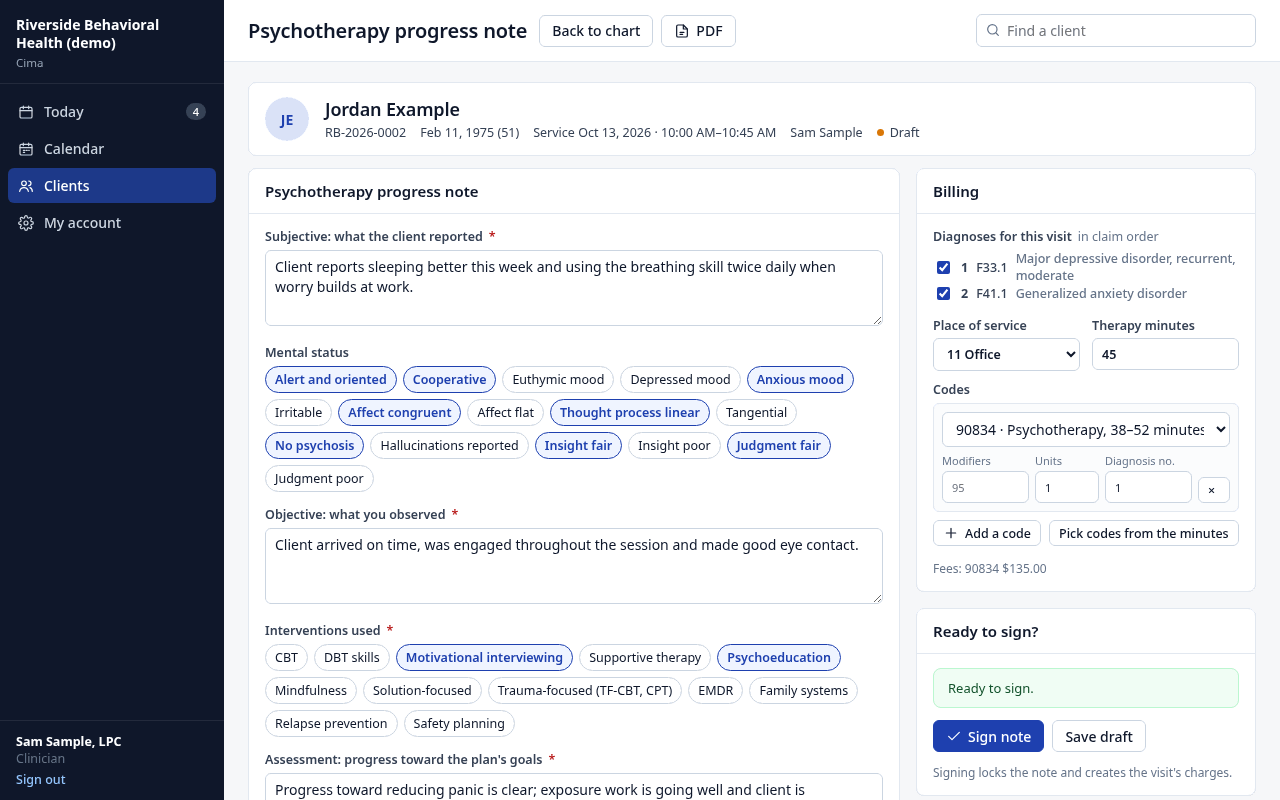
Progress notes
Subjective, mental status, objective, interventions, progress toward the plan's goals, risk and plan. CBT, DBT skills, EMDR, TF-CBT, family systems and more are a tap away.
The right code
Session minutes pick 90832, 90834 or 90837. Family sessions (90846, 90847), crisis (90839, 90840) and intake (90791) are ready too.
Plans and discharge
Treatment plans with goals and measurable objectives, review dates and the client's agreement. A discharge summary when you're done.
Safety built in
PHQ-9 and GAD-7 on the client's phone. A self-harm answer alerts you right away, and a moderate or high risk note needs your safety plan before you sign.
Notes
Write the note before the next client
- The note opens with the visit filled in: client, time, minutes and code.
- Jot a few lines or dictate them. AI drafts the sections in plain professional language, using only what you gave it. You edit and sign.
- Cima tells you what's missing before you sign, so the note holds up if a payer asks for it.
- Sign with your PIN and the charge is created. Signed notes are locked; changes are dated addenda.
Booking and reminders
Fewer no-shows, no phone tag
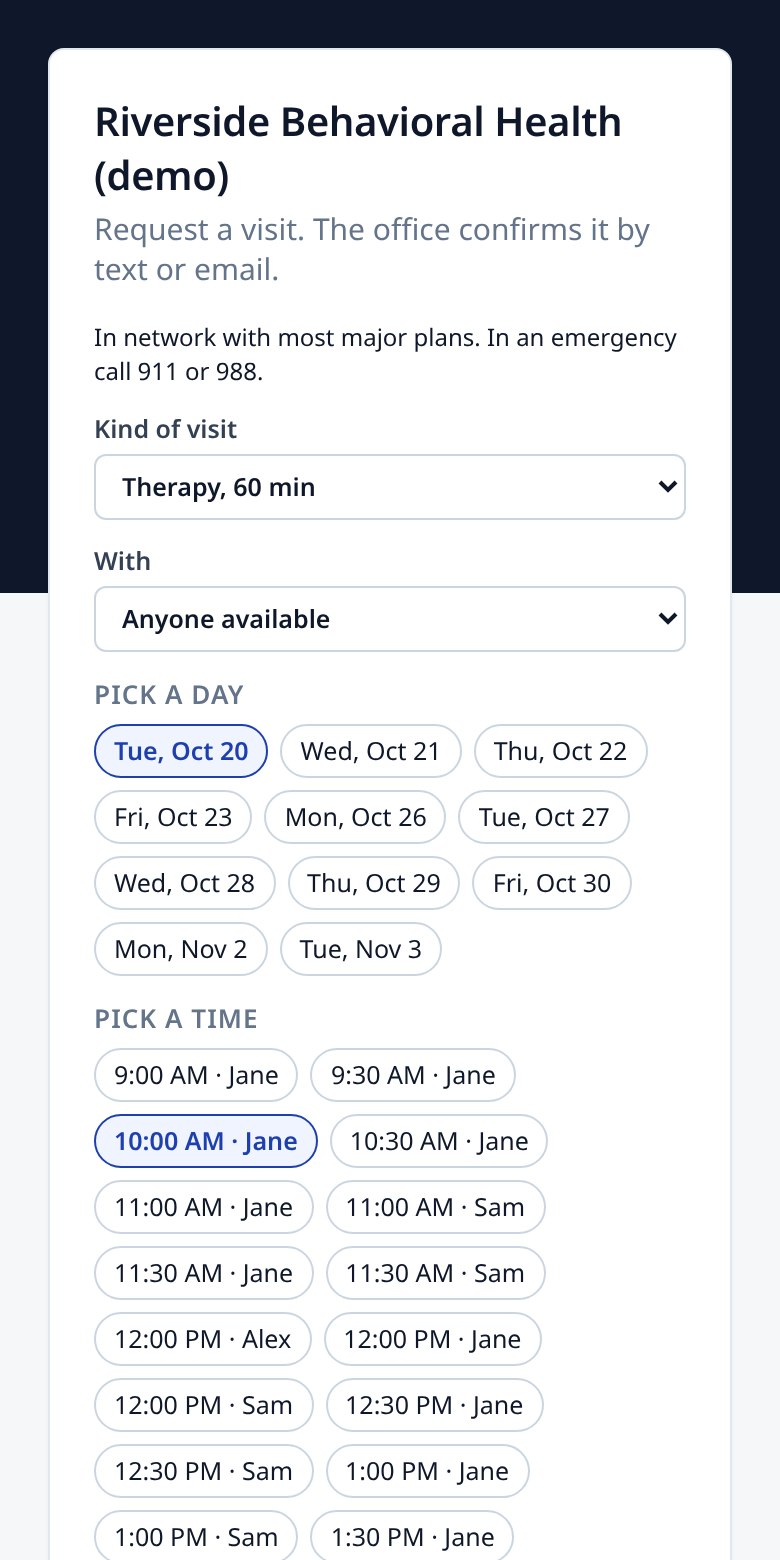
- Your own booking page shows your open hours. New and returning clients request a time; you accept with one click.
- Accepting confirms by text and email and sends a new client their intake paperwork.
- Reminders by text and email, when you choose. Clients reply C to confirm, and texts never say what the visit is for.
- Your visits show in Google, Outlook or Apple Calendar without client names, and your personal busy times stay off the booking page.
- Late-cancel and no-show fees in one click, under the financial policy they signed.
Getting paid
In network, out of network or private pay
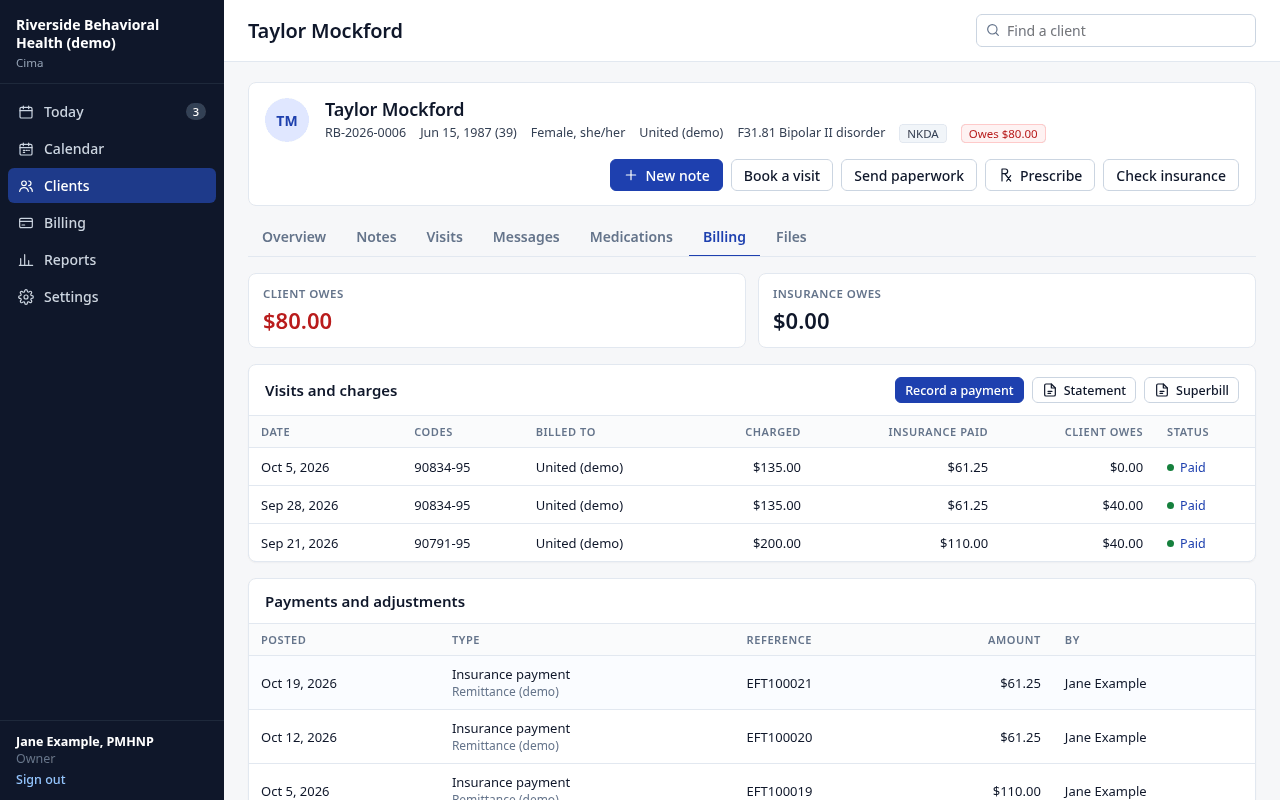
- Private pay: self-pay clients are billed directly, with statements that leave out diagnoses.
- Out of network: a superbill PDF from the chart, with your NPI, codes and diagnoses, for the client to send to their plan.
- In network: each claim is checked before it goes, then sent electronically. Payments from payers you've enrolled with post themselves.
- Insurance checked the evening before each insured visit, with what's left of the deductible.
- Record card, cash and check payments, and see who owes what.
Before the first session
Paperwork done on their phone
- Send intake forms by text or email. No app or password: they confirm their date of birth.
- Consent to treatment, privacy notice, telehealth consent and financial policy, signed with a finger. Edit the wording for your state.
- They update their address and insurance, and you approve the change.
- The signed forms land in the chart as a locked PDF.
Headway, Alma and others
Seeing clients through a network?
Networks set your rate and keep part of every session, or charge a monthly fee and pay you their rate. With your own contracts and your own EHR, the full allowed amount, the client list and the name are yours.
See the math for your caseloadExport your client list as a CSV and import it in minutes, with a preview before anything is saved.
How switching worksOne price. No percentage, ever.
Most therapists need Solo. Add a clinician for $39/month; billing and front-desk logins are free.
Solo
- Calendar, reminders and online booking
- Notes with AI drafting
- Insurance claims and superbills
- Client paperwork by text
Solo PrescriberFor NPs
- Everything in Solo
- E/M and medication-management coding
- E-prescribing, controlled substances too (coming soon)
- Psychiatric and primary-care templates
Program (IOP / PHP)
- Everything in Prescriber
- Levels of care and group notes
- Attendance and per diem billing
- Authorizations and continued-stay reviews
Questions therapists ask
Does Cima do telehealth?
Video visits work with your own video link: add it to the visit and it goes in the client's reminder. Cima bills the visit with modifier 95 and the telehealth place of service, and your telehealth consent is in the intake paperwork. Built-in video isn't part of Cima yet.
I'm private pay only. Is Cima still a fit?
Yes. Mark clients as self-pay and they're billed directly, with statements, payments and balances. Superbills are one click for clients who want to claim out-of-network benefits.
Is the AI note help private?
It runs on AWS's HIPAA-eligible AI service under a Business Associate Agreement, never on a consumer chatbot. It's off until you turn it on, and it drafts only from what you typed. You review and sign every note.
Can I bring my clients from SimplePractice or TherapyNotes?
Yes. Export your client list as a CSV and import it: names, dates of birth, contact details, insurance and diagnosis codes come over. Notes stay in your old system's export; see how to switch.
Do psychologists get testing codes?
Therapy, family, crisis, intake and screening codes are built in. Psychological testing codes (96130 to 96139) aren't in Cima's code list yet; tell us if you need them.
What does sending claims cost?
Claims, insurance checks and electronic payments go through our clearinghouse partner at its standard price, about 20–30¢ each, added to your monthly bill. Superbills and statements cost nothing.