Everything in Cima EHR
Everything Cima does, in plain English.
One system for the whole visit: book it, remind them, get the paperwork, write and sign the note, send the claim, post the payment. Here's each part, and what it does for you.
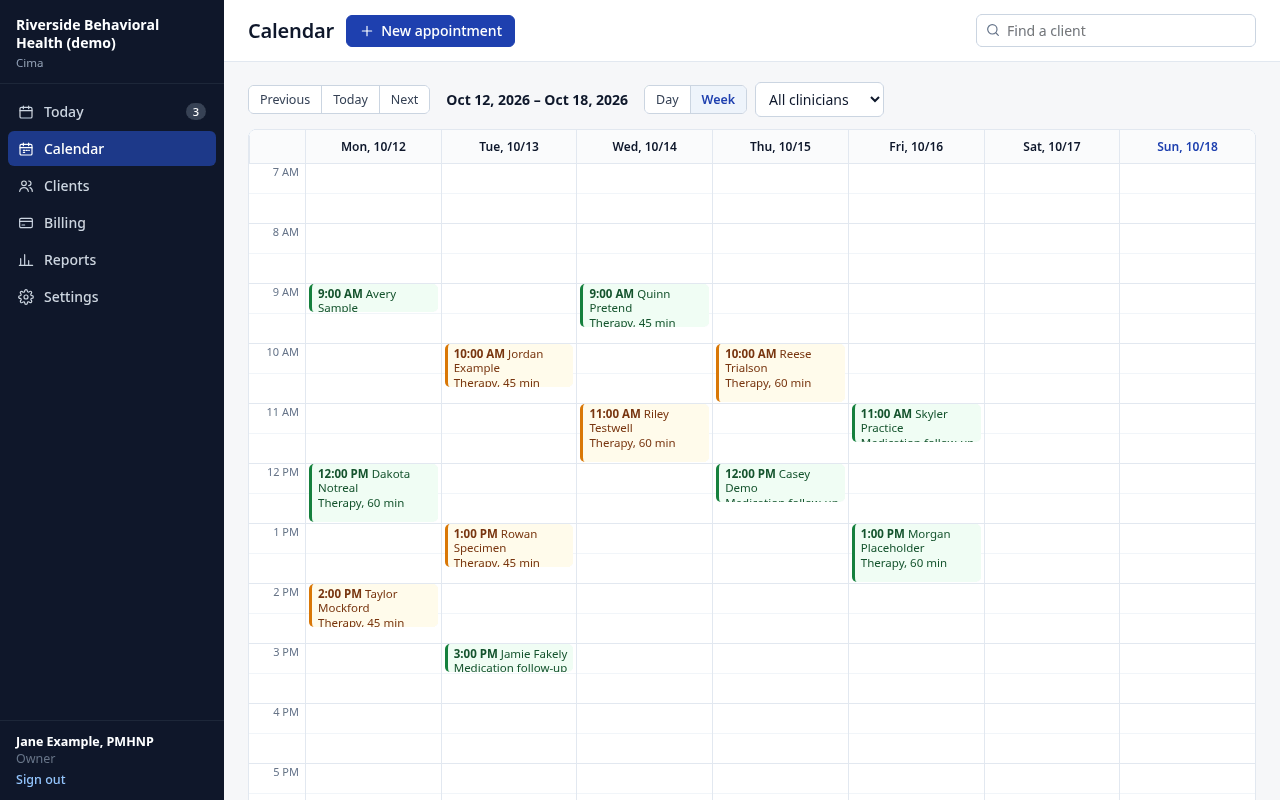
Scheduling and booking
A calendar that fills itself and reminds people
- Week and day views for one clinician or the whole practice. Visit types carry their length and billing code.
- In person, video (your video link goes on the visit and in the reminder) or phone. Weekly repeats.
- Text and email reminders 3 days, 2 days, 1 day, 4 hours or 2 hours ahead: you pick. Clients reply C to confirm.
- Your booking page shows each clinician's open hours. A request holds the time; you accept or decline on Today.
- Accepting books the visit, confirms it by text and email, sends a new client their paperwork and checks their insurance.
- See your visits in Google, Outlook or Apple Calendar, and your personal calendar's busy times stay off the booking page.
- Arrived, completed, no-show and late cancel, with your late-cancel fee in one click.
Client paperwork
Forms done on their phone, before the first visit
- Send paperwork by text, email or both. The link lasts 7 days, and the email never includes health information.
- No app or password for the client: they confirm their date of birth, and the link locks after 5 wrong tries.
- They correct their details and insurance, read and agree to each consent, and sign with a finger.
- Consent to treatment, privacy notice, telehealth and financial policy come ready. Edit the wording for your state.
- The signed forms become a locked PDF in the chart. Changes to their details wait for your OK.
- Text clients from the chart. Their replies show on Today, and the Messages tab keeps every text and email.
- Add PDFs and photos to the chart: insurance cards, ID, outside records.
Notes and AI drafting
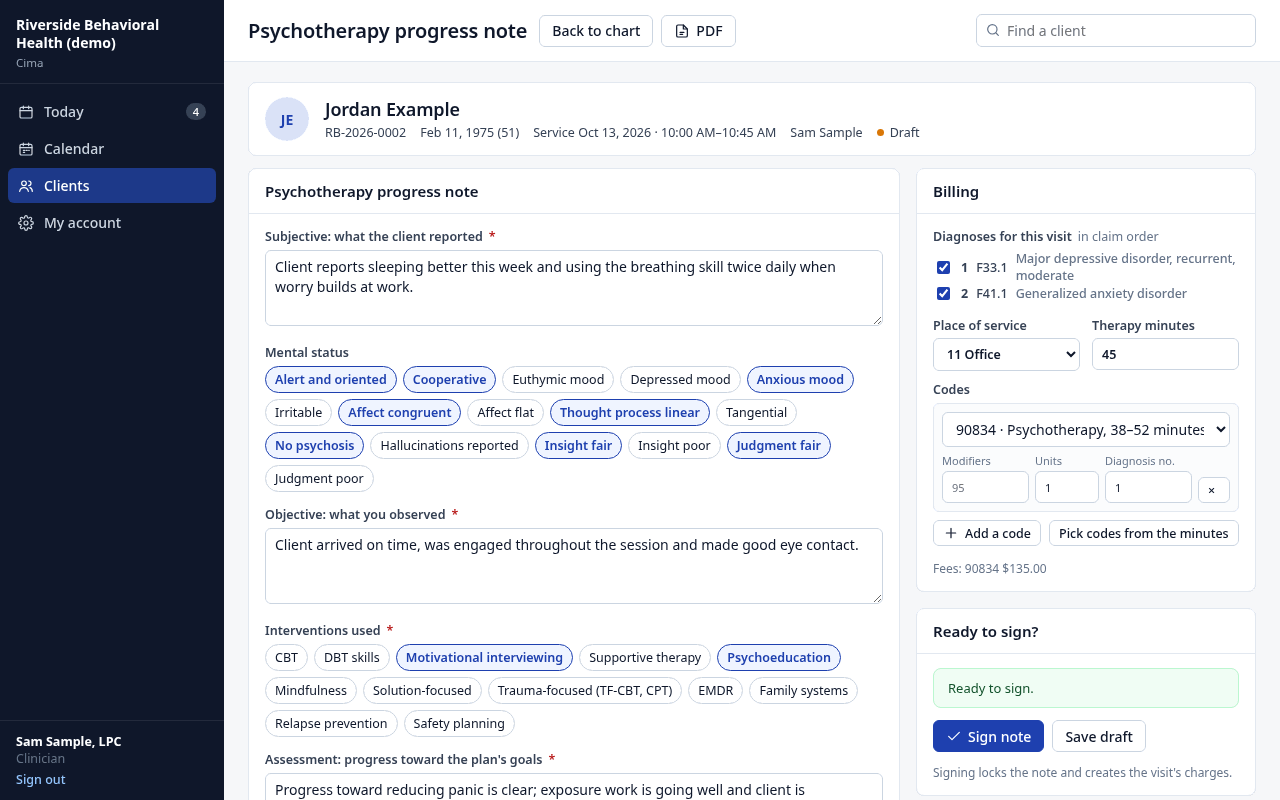
Notes that are done when the session is
- Templates for psychotherapy progress (SOAP), intake assessment, psychiatric evaluation, medication management, medical visit, annual physical, treatment plan and discharge summary.
- Type or dictate a few lines and AI drafts the sections for you to edit. It uses only what you wrote. The owner turns it on; it's included in every plan.
- Before you sign, Cima lists what's missing. A moderate or high risk rating needs your safety plan.
- Sign with your PIN. Signed notes are locked; corrections are dated addenda.
- A note signed more than 72 hours after the visit is marked as a late entry, never backdated.
- Notes by an LPC-A, LMFT-A, LCDC-I or intern wait for a licensed supervisor's co-sign.
Treatment plans
Plans that hold up to a chart review
- Problems in the client's words, goals, and measurable objectives with target dates.
- Interventions, frequency, a review-by date and whether the client agreed.
- Progress notes ask for progress toward the plan's goals; group entries name the goal worked on.
- A discharge summary with the reason, course of treatment, status and referrals.
Screenings
PHQ-9 and GAD-7, with a safety net
- Clients answer on their phone with their paperwork, or you give them in session. Scored with severity bands.
- Any answer above "Not at all" on the PHQ-9 self-harm question puts a red safety card on Today and emails the clinician right away.
- That screen can't be signed without the clinician's safety note.
- The outcomes report shows how many clients improved by 5 points or more.
Billing, claims and payments
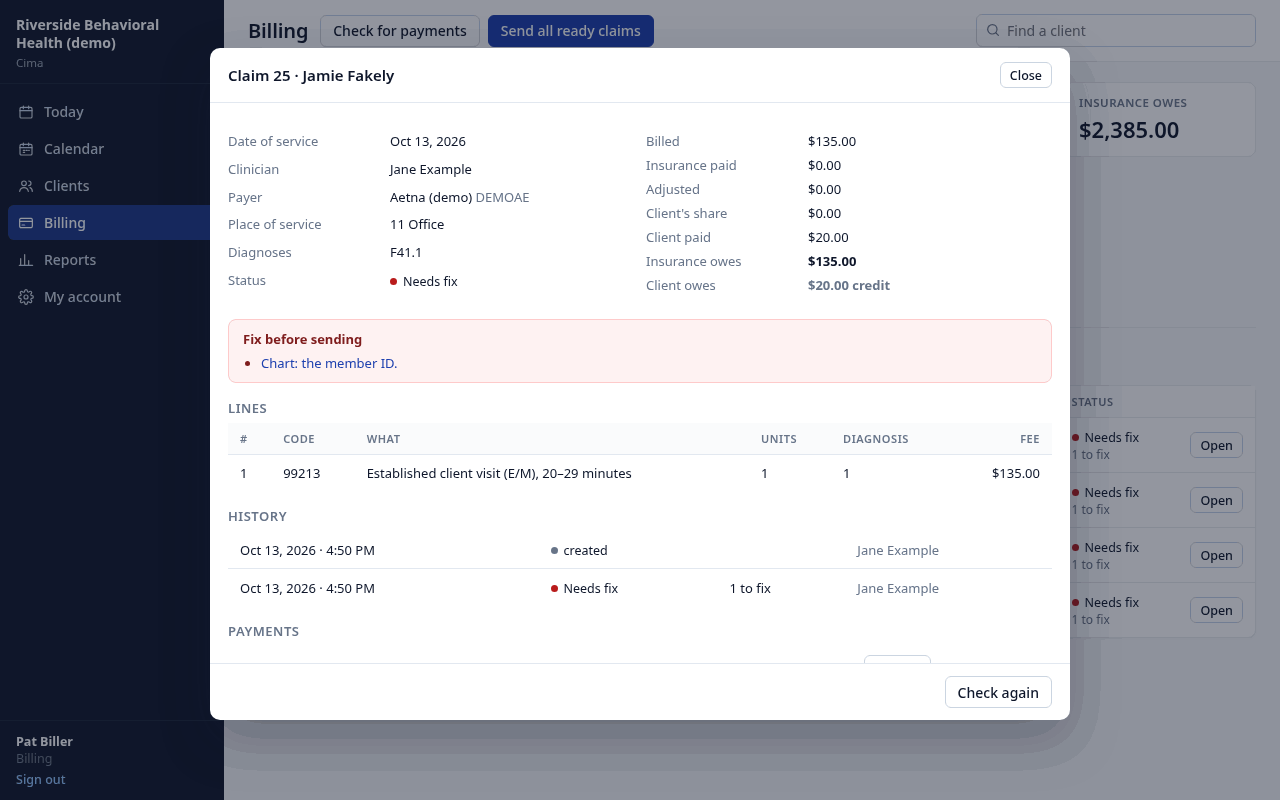
Claims checked before they go out
- Signing the note creates the charge: code, modifiers, place of service, diagnoses and your fee. Therapy minutes pick 90832, 90834 or 90837.
- Telehealth visits get modifier 95 and place of service 10 or 02.
- Each claim is checked for NPIs, tax ID, taxonomy, payer and member IDs, diagnosis format, authorizations and your filing limit.
- Claims go out electronically (837P, or 837I for program days). Acknowledgments, and electronic payments from payers you've enrolled with, post themselves.
- Insurance is checked automatically the evening before each insured visit, with deductible and out-of-pocket left.
- Post insurance and client payments, see AR aging by payer, and print superbills and statements (statements leave out diagnoses).
- Your outside biller gets a free login, CSV exports and the 837 file.
Claims, insurance checks and electronic payments go through our clearinghouse partner and are billed at its standard price, about 20–30¢ each.
Reports
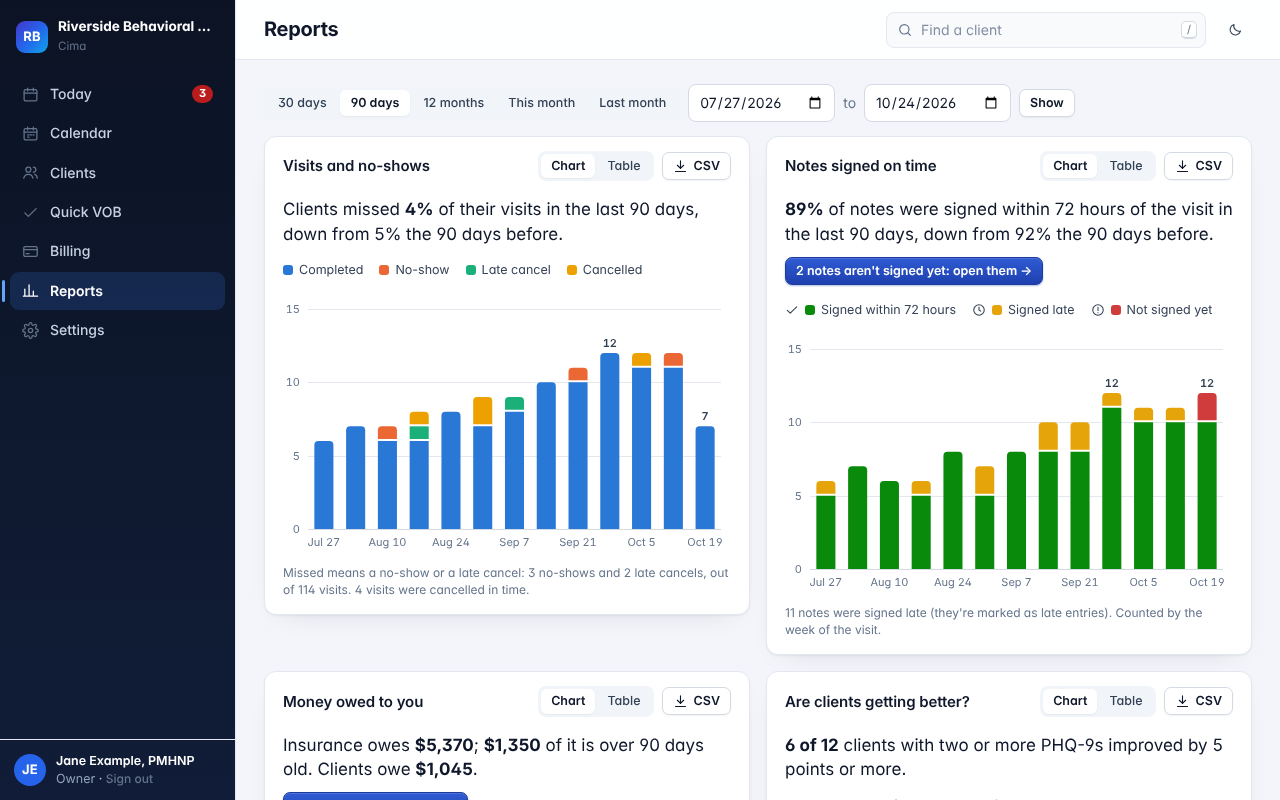
The practice's numbers, in sentences
- Visits and no-show rate, and how many notes were signed within 72 hours.
- What insurance and clients owe, by how long it's been owed.
- Money billed and collected, first-time claim acceptance, and denial reasons in plain English.
- Clients per clinician, plus visits, notes owed, billed and collected by clinician and by payer.
- Are clients getting better: PHQ-9 improvement and remission, by clinician (owner only).
- By week or by month, each compared with the period before, and every chart downloads as a CSV.
Programs and groups Program plan
IOP and PHP on the same system
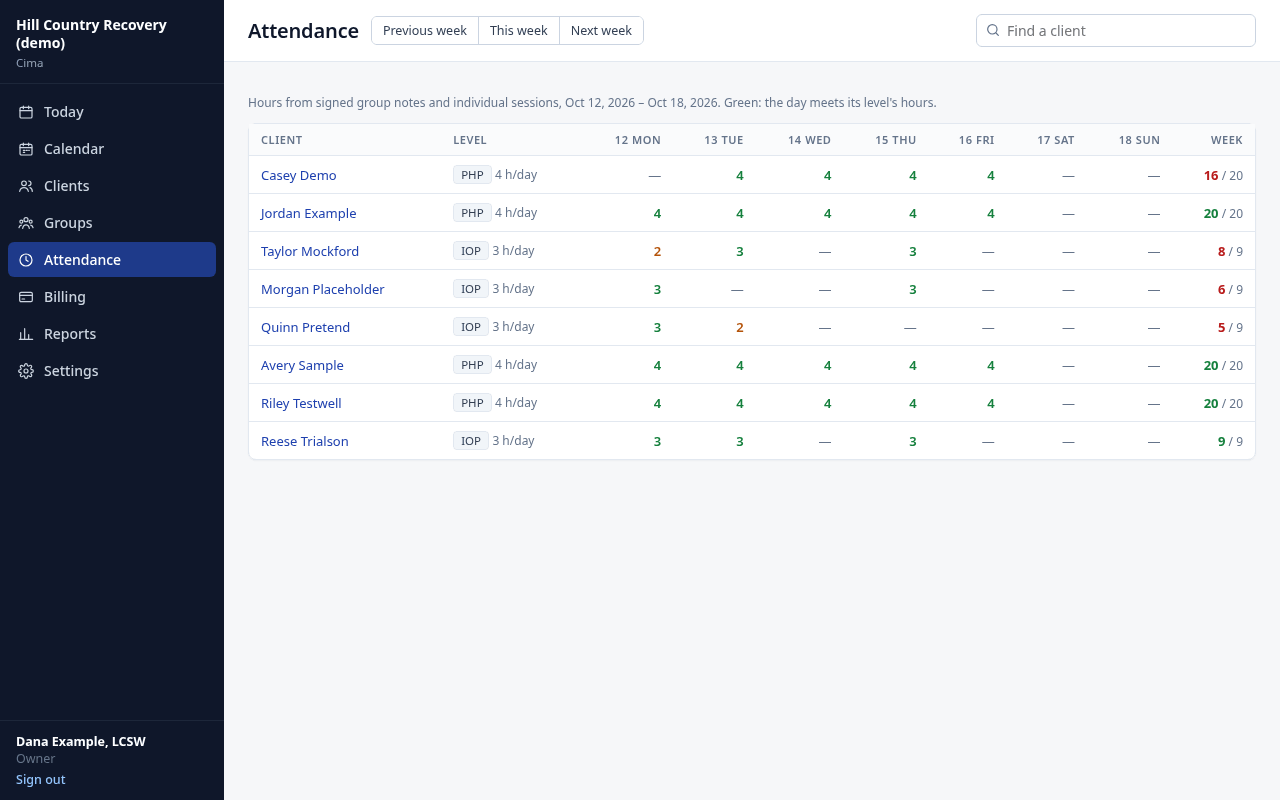
- Levels of care (PHP, IOP, OP) with each level's day and week hours and per diem code.
- Group notes: the topic and summary once, each client's own entry, one PIN to sign them all. Entries that read 80% alike are stopped before signing.
- Attendance hours from signed notes, and one per diem charge for each day that meets its hours.
- Authorizations tracked, and continued-stay reviews on Today 5 days before one ends.
Roles and supervision
Everyone sees what their job needs
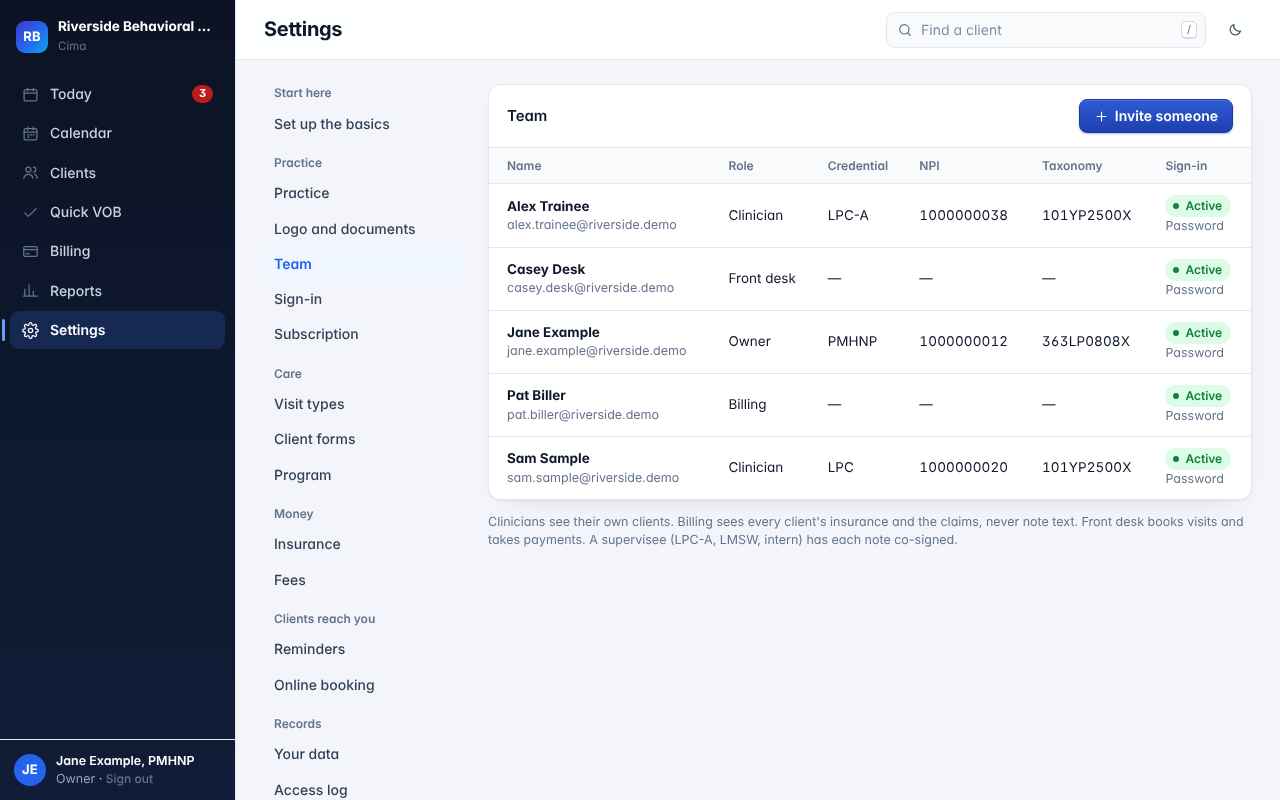
- Owner: everything, including settings, reports and the access log.
- Clinician: their own clients (their caseload, or anyone on their calendar), their notes and signing.
- Billing: insurance, claims and payments for every client, never the text of a note.
- Front desk: the calendar, client details and payments.
- Invite people by email. Each added clinician is $39/month; billing and front-desk logins are free.
Security and privacy
Built for HIPAA and 42 CFR Part 2 from the start
A Business Associate Agreement with every practice, and the protections that make it mean something.
Two-step sign-in
A passkey (Face ID, Touch ID, Windows Hello) or a password plus a 6-digit code. Signed out after 30 idle minutes.
Every chart view logged
Views, prints, exports and signatures go in a log that can't be edited, and Cima checks it hasn't been.
Releases checked
Records leave the practice only under a current signed release or another legal basis you record, and a Part 2 release carries the federal notice.
Getting started and everything else
Bring your client list
Import a CSV from SimplePractice, TherapyNotes, TheraNest or a spreadsheet, with a preview before anything is saved.
Switching EHRs →Set up for your practice
Therapy, psychiatry, primary care or mixed, each with its own visit types and notes. Your time zone, filing limit and consent wording for your state.
A checklist on Today
NPI, tax ID, fees, your PIN, the first client and visit, your team and claims, checked off as you go.
Your logo on documents
Notes, superbills, statements and charts print with your practice's own header.
E-prescribing Coming soon
On the Prescriber plan: medication list, allergies and prescribing in the chart through a certified network. We're finishing the connection now.
For nurse practitioners →Your data, any time
Download the whole practice in one file, or one client's chart as a PDF, including after you cancel.
Questions about features
Is telehealth video built in?
Not yet. Add your own video link (from any HIPAA-ready video service) to a visit, and it goes in the client's reminder. Cima bills the visit with modifier 95 and the telehealth place of service, and the client signs a telehealth consent with their paperwork.
Is there a client portal?
Clients don't need an account. You send a secure link by text or email; they confirm their date of birth, update their details and insurance, sign consents and fill in the PHQ-9 and GAD-7 on their phone. They book through your booking page and confirm visits by replying to the reminder.
Does AI note help cost extra?
No. It's in every plan. The owner turns it on, it runs on AWS's HIPAA-eligible AI service under a Business Associate Agreement, and it drafts only from what you typed. You review, edit and sign.
Does it work on a phone?
Yes, in your phone's web browser. There's nothing to install, for you or your clients.
Which plan has which features?
Solo ($59/month) has scheduling, paperwork, notes, AI help, claims and reports. Solo Prescriber ($129) adds e-prescribing and medication-management coding. Program ($399, up to 25 clients in the program) adds levels of care, groups, attendance, per diem billing and continued-stay reviews. Each added clinician is $39/month.
What isn't in Cima yet?
Built-in video visits and lab orders aren't built yet, and the e-prescribing connection is being finished now. If one of those decides it for you, tell us when you sign up.